
Maker's Loft Guide
Library & Learning Commons
LOFT stands for Library OF Things, reflecting a space filled with tools, equipment, and resources that help you create, build, and explore new ideas. The Maker's Loft is a place where creativity, innovation, and learning come together.
How does it work?
The Maker's Loft Coordinator is available to meet with individuals or groups to help you learn the skills needed to bring your ideas to life. If you already have experience using the equipment, the coordinator will still review basic policies and help schedule a time for you to use the space.
While there is a cost to use some Maker's Loft resources, fees are limited to the cost of materials used. You're also welcome to bring your own materials whenever possible.
The information below is provided to help you use the equipment available in the Maker's Loft.
Cube Icon
3D Printing
Bambu Printer Basics
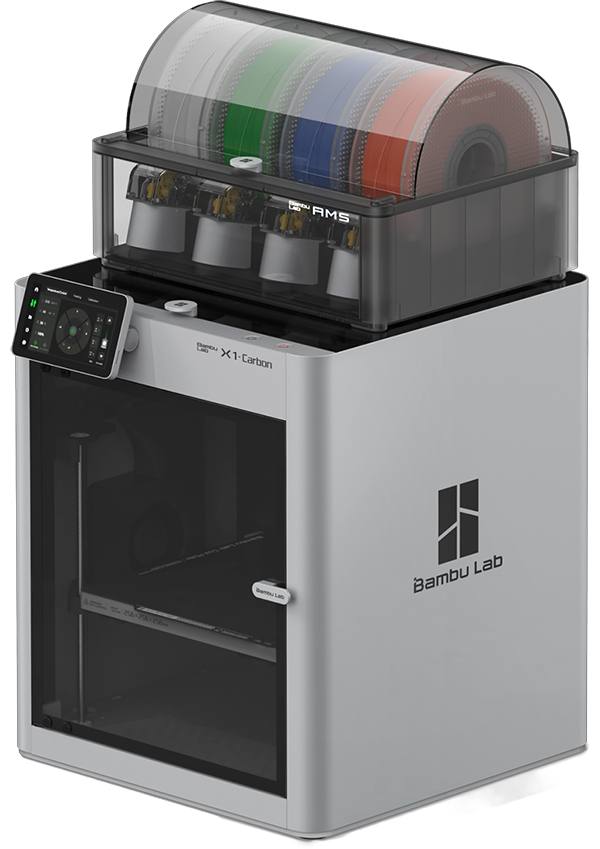 These are the basic skills needed to understand and operate the 3D printer on a day-to-day basis. Even after you have been approved to use the 3D printer, you must always check in before printing.
Change Filament
If a filament is already loaded in the AMS, begin by selecting the corresponding color on the printer screen and pressing Unload. Once the filament has been fully unloaded, carefully remove the spool from the AMS slot.
To load a new filament, place the new spool into the empty slot. Make sure the filament feeds correctly: the loose end should come from the top of the spool and pull forward toward you.
Next, take the end of the filament and insert it into the small gray entry hole at the front of the slot. You may need to gently press the gray entry piece inward toward the spool while pushing the filament in to help it catch.
Once the filament is engaged, the printer will automatically pull it through and complete the loading process.
The printer may automatically detect the correct filament type. If it does not, you can manually assign it by pressing the pencil icon next to the corresponding AMS slot and entering the correct filament information.
Filament Details
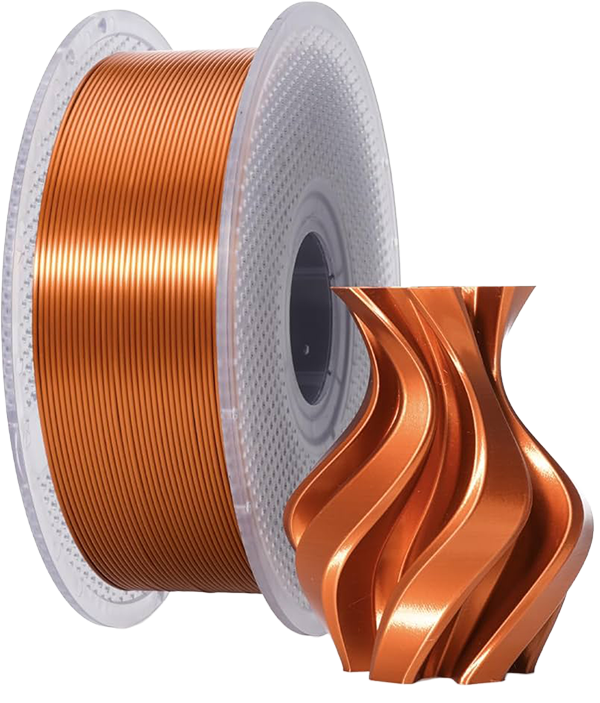 Filament is the plastic material fed into a 3D printer, where it is melted and deposited in layers to create a finished object. Filament is supplied on spools and is available from a variety of manufacturers. In the Maker's Loft, we use Bambu filament with Bambu printers to ensure the best compatibility and print quality.
Most filament spools contain 1 kilogram (1,000 grams) of material. The Maker's Loft maintains a variety of filament colors and types for patrons to use, but you are also welcome to purchase and bring your own Bambu-compatible filament spool. If you use filament provided by the Maker's Loft, the cost is $0.06 per gram of filament used in your print. If you supply your own filament, use of the 3D printer is free of charge.
Filament is available in many colors and material types, each with its own unique properties and uses. Common filament types include PLA (and its subtypes), PET, PETG, ABS, and PC. Of these, PLA is the most widely used because it is easy to print, versatile, and suitable for many projects.
- PLA is a filament made from renewable resources such as cornstarch and sugarcane. It is the most common type of filament used in 3D printing because it is easy to work with and produces reliable results.
- Properties of PLA: easy to print and beginner-friendly; strong and rigid (stiff); resistant to warping during printing; chemically resistant; lower heat resistance due to its low melting point; less durable than some other filament types, especially when exposed to heat, sunlight, or heavy wear.
- PLA is an excellent choice for decorative items, prototypes, models, and many everyday projects where high heat resistance is not required.
- PETG is a polyester-based plastic made by combining polyethylene terephthalate (PET) with glycol. It is a popular filament choice because it balances ease of printing with excellent durability and strength.
- Properties of PETG: easy to print; moderate to high strength; highly durable and long-lasting; excellent impact resistance; slightly flexible without being brittle; chemically resistant; minimal warping during printing; water and moisture resistant; can be printed in translucent or transparent colors.
- PETG is often used for functional parts, containers, outdoor items, protective components, and other projects that require greater durability than PLA while remaining relatively easy to print.
- ABS is a thermoplastic filament commonly used in manufacturing and consumer products due to its durability and resistance to temperature changes. While it can be more challenging to print than PLA or PETG, it is well suited for functional parts that need to withstand regular use.
- Properties of ABS: more difficult to print than PLA or PETG; moderate strength; slightly flexible and less brittle than PLA; highly durable and impact resistant; lightweight; good resistance to both heat and cold temperatures; generally exhibits low to moderate warping when printed under proper conditions.
- ABS is commonly used for functional prototypes, tool handles, automotive components, protective housings, and other parts that require durability and temperature resistance.
AMS Filament Holder Box
 The AMS, or Automatic Material System, is the clear box mounted on top of the 3D printer that stores and feeds filament into the machine. It allows the printer to automatically load, unload, and switch between different filaments during a print.
Each AMS contains four filament slots, giving patrons up to four color or material options for a single print. You may choose to print with just one filament or use multiple slots to create a multicolored object.
If an AMS slot is already occupied by filament, the existing spool must be removed before a new one can be loaded. To begin the process of changing filament, refer to the "Change Filament" instructions in the Screen section, which explains how to safely unload and load filament using the printer interface.
Printer Screen
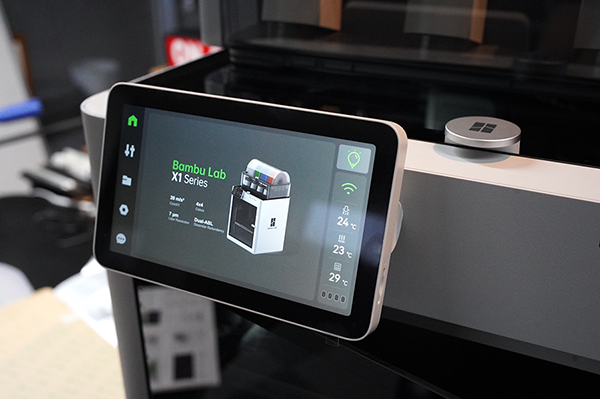 The screen is located at the top left of the machine. There are five main tabs on the left side.
- The Home Screen is the main display shown on the printer. From this screen, you can view the current status of a print or monitor the printer when it is idle. The right side of the screen displays key printer information, including the current temperatures of the nozzle and print bed. During a print, the home screen also provides basic progress information and allows you to monitor the printer's operation at a glance.
- The Filament Tab opens a screen with four sections across the top: Temperature/Axis, Filament, Utilities, and Print Options. For most patrons, the Filament section will be the most frequently used. This is where you can view the filaments currently loaded in the AMS and begin the process of unloading, loading, or changing filament. When replacing a spool, this is typically the first screen you will access before following the printer's filament change procedure.
Build Plate (Print Surface)
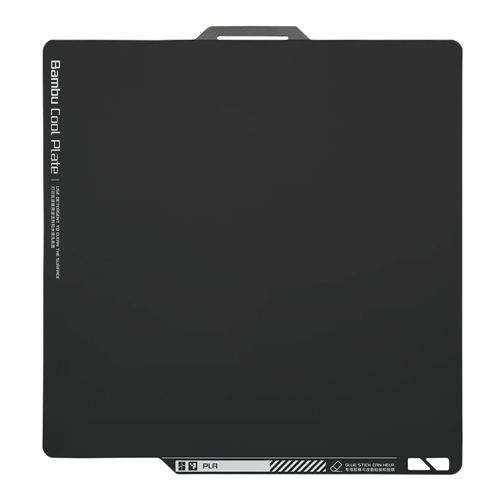 The bed of the printer is fixed and is not removable. However, the build plate (the surface the object is printed on) is removable and slightly flexible.
The build plate attaches to the heated bed using a magnetic surface, allowing it to be easily removed when a print is finished. This plate is where the filament is deposited to form the final object.
When printing is complete, lift the build plate straight up in a gentle upward motion—do not pull it sideways or force it off at an angle.
Once removed, the printed object can be taken off either by hand or with a spatula-style tool. Slightly bending the flexible plate can help loosen the print and make removal easier.
Some build plates have a textured surface designed to help filament adhere during printing. These surfaces naturally provide good grip for the first layer of a print. Other build plates may feel smooth, and in these cases a thin layer of non-toxic glue is sometimes applied. This helps the filament stick properly during the first layer of printing and reduces the chance of the print shifting or failing. Proper bed adhesion is important for successful prints, especially on smooth build plates.
Hotend and Connecting Feeding Tubes
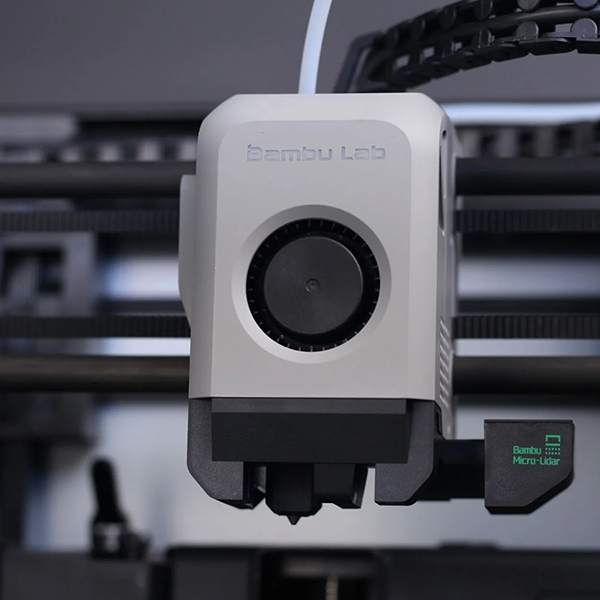 The hotend is the part of the 3D printer where filament is fed, heated, and melted before being deposited onto the build plate to form an object. It is responsible for extruding the material in precise layers during printing.
During operation, the hotend moves along the X-axis (side to side) and Y-axis (front to back) to create the shape of the object. At the same time, the build plate moves along the Z-axis (up and down), allowing the object to be built layer by layer from bottom to top.
White PTFE tubes connect the AMS (Automatic Material System) to the hotend through the back of the machine. These tubes guide the filament from the spool through the printer and into the hotend, where it is heated and extruded.
(Refer to the image above for an example of the white feeding tube connected into the hotend.)
Stacked Cubes Icon
3D Software
To use the 3D Bambu printers, you should know the basics of the corresponding software.
Poster Sign Icon
Poster Printer
sss
Object Group Icon
Cricut Cutter
sss
Computer Desktop Icon
Cricut Software
sss
Binder Notebook Icon
Binder
sss
Photo Icon
Photo Box
sss
Scribble Icon
Sewing Machine
sss
Camera Icon
Camera
sss
Helpul Links
Order a 3D Print from the LLC